
 田运杰
1c0ef1216a
examples
田运杰
1c0ef1216a
examples
|
1 năm trước cách đây | |
|---|---|---|
| .. | ||
| src | 1 năm trước cách đây | |
| Cargo.toml | 1 năm trước cách đây | |
| README.md | 1 năm trước cách đây | |
README.md
YOLOv8-ONNXRuntime-Rust for All the Key YOLO Tasks
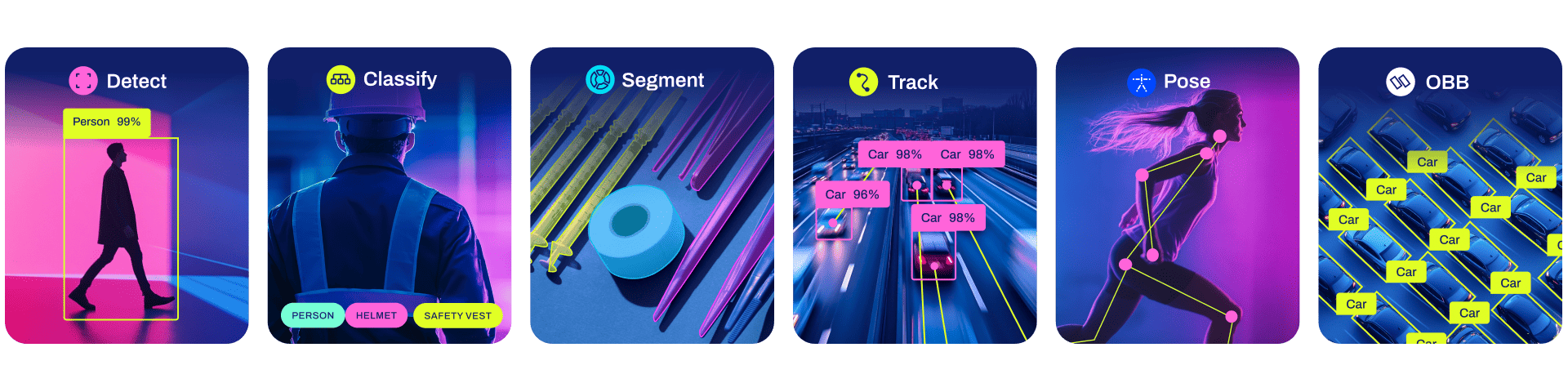
This repository provides a Rust demo for performing YOLOv8 tasks like Classification, Segmentation, Detection, Pose Detection and OBB using ONNXRuntime.
Recently Updated
- Add YOLOv8-OBB demo
- Update ONNXRuntime to 1.19.x
Newly updated YOLOv8 example code is located in this repository
Features
- Support
Classification,Segmentation,Detection,Pose(Keypoints)-Detection,OBBtasks. - Support
FP16&FP32ONNX models. - Support
CPU,CUDAandTensorRTexecution provider to accelerate computation. - Support dynamic input shapes(
batch,width,height).
Installation
1. Install Rust
Please follow the Rust official installation. (https://www.rust-lang.org/tools/install)
2. ONNXRuntime Linking
For detailed setup instructions, refer to the ORT documentation.
For Linux or macOS Users:
- Download the ONNX Runtime package from the Releases page.
- Set up the library path by exporting the
ORT_DYLIB_PATHenvironment variable:shell export ORT_DYLIB_PATH=/path/to/onnxruntime/lib/libonnxruntime.so.1.19.0
3. [Optional] Install CUDA & CuDNN & TensorRT
- CUDA execution provider requires CUDA v11.6+.
- TensorRT execution provider requires CUDA v11.4+ and TensorRT v8.4+.
Get Started
1. Export the YOLOv8 ONNX Models
pip install -U ultralytics

# export onnx model with dynamic shapes
yolo export model=yolov8m.pt format=onnx  simplify dynamic
yolo export model=yolov8m-cls.pt format=onnx  simplify dynamic
yolo export model=yolov8m-pose.pt format=onnx  simplify dynamic
yolo export model=yolov8m-seg.pt format=onnx  simplify dynamic


# export onnx model with constant shapes
yolo export model=yolov8m.pt format=onnx  simplify
yolo export model=yolov8m-cls.pt format=onnx  simplify
yolo export model=yolov8m-pose.pt format=onnx  simplify
yolo export model=yolov8m-seg.pt format=onnx  simplify
2. Run Inference
It will perform inference with the ONNX model on the source image.
cargo run --release -- --model <MODEL> --source <SOURCE>
Set --cuda to use CUDA execution provider to speed up inference.
cargo run --release -- --cuda --model <MODEL> --source <SOURCE>
Set --trt to use TensorRT execution provider, and you can set --fp16 at the same time to use TensorRT FP16 engine.
cargo run --release -- --trt --fp16 --model <MODEL> --source <SOURCE>
Set --device_id to select which device to run. When you have only one GPU, and you set device_id to 1 will not cause program panic, the ort would automatically fall back to CPU EP.
cargo run --release -- --cuda --device_id 0 --model <MODEL> --source <SOURCE>
Set --batch to do multi-batch-size inference.
If you're using --trt, you can also set --batch-min and --batch-max to explicitly specify min/max/opt batch for dynamic batch input.(https://onnxruntime.ai/docs/execution-providers/TensorRT-ExecutionProvider.html#explicit-shape-range-for-dynamic-shape-input).(Note that the ONNX model should be exported with dynamic shapes.)
cargo run --release -- --cuda --batch 2 --model <MODEL> --source <SOURCE>
Set --height and --width to do dynamic image size inference. (Note that the ONNX model should be exported with dynamic shapes.)
cargo run --release -- --cuda --width 480 --height 640 --model <MODEL> --source <SOURCE>
Set --profile to check time consumed in each stage.(Note that the model usually needs to take 1~3 times dry run to warmup. Make sure to run enough times to evaluate the result.)
cargo run --release -- --trt --fp16 --profile --model <MODEL> --source <SOURCE>
Results: (yolov8m.onnx, batch=1, 3 times, trt, fp16, RTX 3060Ti)
==> 0
[Model Preprocess]: 12.75788ms
[ORT H2D]: 237.118µs
[ORT Inference]: 507.895469ms
[ORT D2H]: 191.655µs
[Model Inference]: 508.34589ms
[Model Postprocess]: 1.061122ms
==> 1
[Model Preprocess]: 13.658655ms
[ORT H2D]: 209.975µs
[ORT Inference]: 5.12372ms
[ORT D2H]: 182.389µs
[Model Inference]: 5.530022ms
[Model Postprocess]: 1.04851ms
==> 2
[Model Preprocess]: 12.475332ms
[ORT H2D]: 246.127µs
[ORT Inference]: 5.048432ms
[ORT D2H]: 187.117µs
[Model Inference]: 5.493119ms
[Model Postprocess]: 1.040906ms
And also:
--conf: confidence threshold [default: 0.3]
--iou: iou threshold in NMS [default: 0.45]
--kconf: confidence threshold of keypoint [default: 0.55]
--plot: plot inference result with random RGB color and save
you can check out all CLI arguments by:
git clone https://github.com/ultralytics/ultralytics
cd ultralytics/examples/YOLOv8-ONNXRuntime-Rust
cargo run --release -- --help
Examples
Classification
Running dynamic shape ONNX model on CPU with image size --height 224 --width 224. Saving plotted image in runs directory.
cargo run --release -- --model ../assets/weights/yolov8m-cls-dyn.onnx --source ../assets/images/dog.jpg --height 224 --width 224 --plot --profile
You will see result like:
Summary:
> Task: Classify (Ultralytics 8.0.217)
> EP: Cpu
> Dtype: Float32
> Batch: 1 (Dynamic), Height: 224 (Dynamic), Width: 224 (Dynamic)
> nc: 1000 nk: 0, nm: 0, conf: 0.3, kconf: 0.55, iou: 0.45

[Model Preprocess]: 16.363477ms
[ORT H2D]: 50.722µs
[ORT Inference]: 16.295808ms
[ORT D2H]: 8.37µs
[Model Inference]: 16.367046ms
[Model Postprocess]: 3.527µs
[
    YOLOResult {
        Probs(top5): Some([(208, 0.6950566), (209, 0.13823675), (178, 0.04849795), (215, 0.019029364), (212, 0.016506357)]),
        Bboxes: None,
        Keypoints: None,
        Masks: None,
    },
]
Object Detection
Using CUDA EP and dynamic image size --height 640 --width 480
cargo run --release -- --cuda --model ../assets/weights/yolov8m-dynamic.onnx --source ../assets/images/bus.jpg --plot --height 640 --width 480
Pose Detection
using TensorRT EP
cargo run --release -- --trt --model ../assets/weights/yolov8m-pose.onnx --source ../assets/images/bus.jpg --plot
Instance Segmentation
using TensorRT EP and FP16 model --fp16
cargo run --release -- --trt --fp16 --model ../assets/weights/yolov8m-seg.onnx --source ../assets/images/0172.jpg --plot